 Activity for ClickUp
How to see ClickUp Inbox and Chat in one place, beside your work
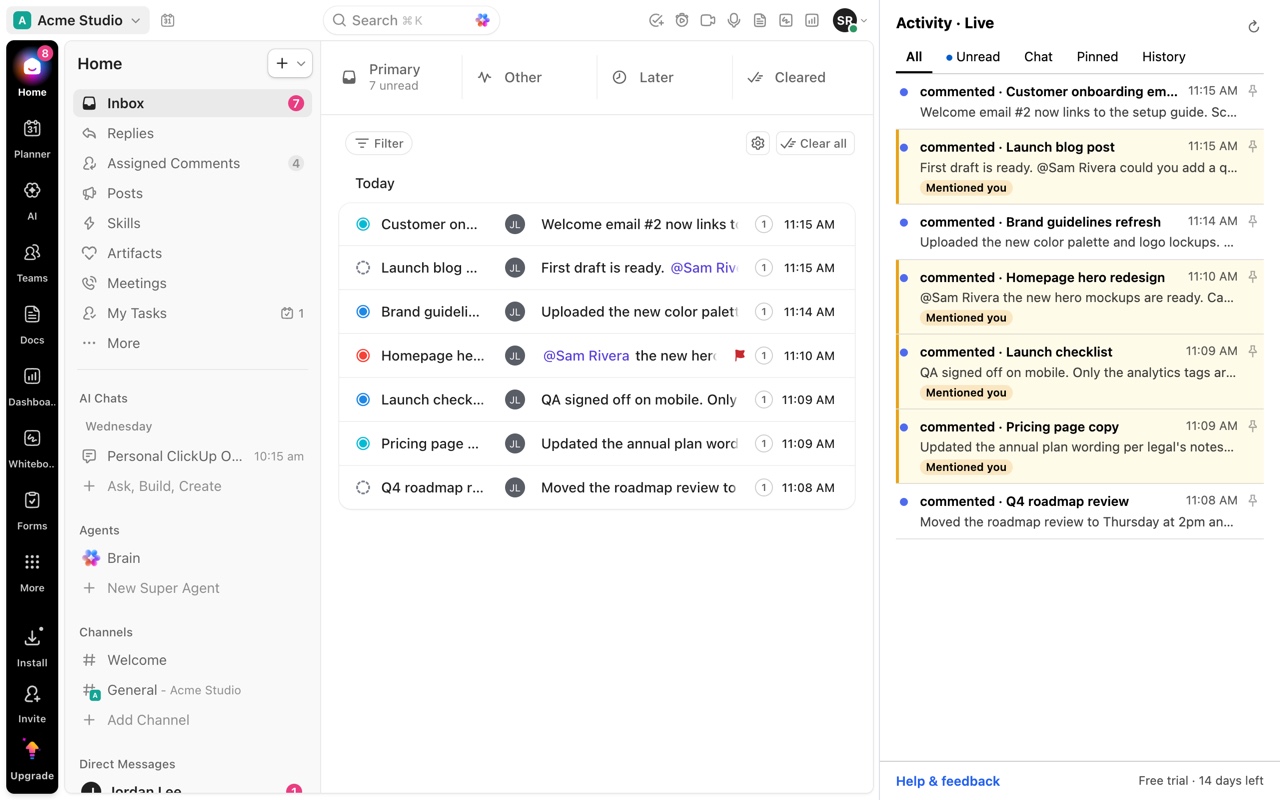
ClickUp puts task notifications in the Inbox, thread replies in Replies, and messages in Chat, and you navigate away from your current view to check each one. Activity for ClickUp combines Inbox notifications and Chat conversations into one feed in Chrome's side panel, which stays open beside whatever page you are working in.
Updated by ClrBlu
What ClickUp users report
ClickUp users have asked for a single, centralized notification hub, noting that keeping up means checking Inbox, Replies and Chat separately. Others ask to chat without leaving their current view, for Chat in the sidebar, for pop-out conversations, or for a separate Chat window, all variations of the same need: see what is new without losing your place.
Public requests on ClickUp's feedback board:
- One centralized inbox / all-in-one notification hub
- Be able to chat without having to leave current view or location
- ClickUp 4.0: add Chat to sidebar
- Pop-out Chat conversations
- Separate window for Chat
What you can do in ClickUp today
- ClickUp's Chat activity view gathers recent messages across channels, with a filter for messages that mention you.
- Opening the Inbox and Chat in separate browser tabs lets you switch between them without losing your place in a task.
Both still mean switching away from what you are working on to check.
How Activity for ClickUp solves it
Activity for ClickUp shows Inbox notifications and Chat conversations together in Chrome's side panel. The panel sits beside the page you are on, in ClickUp or any other site, and stays open as you move between tabs. A dedicated Chat tab narrows the feed to conversations when you want only those.
Questions
Does the side panel stay open when I switch tabs?
Yes. Chrome's side panel stays open beside any page, so the feed is there while you work in other tabs.
Do I need ClickUp open?
Yes. Activity reads the Inbox and Chat from a ClickUp tab at app.clickup.com, through your normal session.
Which browsers are supported?
Google Chrome.