 Activity for ClickUp
How to keep track of ClickUp notifications you need to come back to
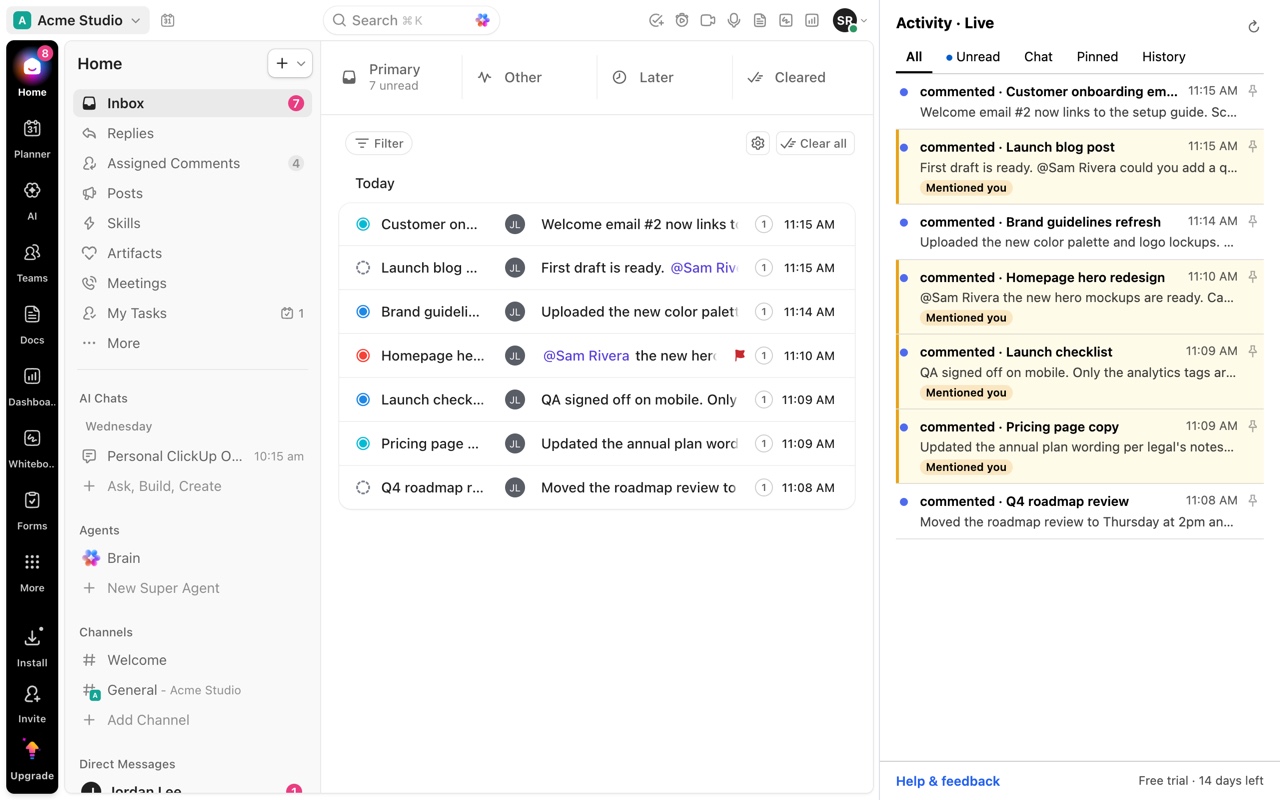
ClickUp marks a notification read as soon as you open it, so a comment you glanced at but still need to answer stops standing out. Activity for ClickUp lets you pin notifications in its side panel, keeps a History of what you have seen, and mirrors ClickUp's own read state, so there is no second inbox to clear.
Updated by ClrBlu
What ClickUp users report
People on ClickUp's feedback board ask to bookmark comments in a task's activity, to see visually which older notifications they have already seen, and to clear Inbox items for things they have already acted on elsewhere. Others ask that Replies stop marking items read automatically. The common thread is that read and unread are not the same as handled and not handled.
Public requests on ClickUp's feedback board:
- Feature request: bookmark comments in task activity
- Indicate visually that older notifications have been seen/read
- Mark Inbox notifications read when manually viewing the unread item
- Clear Inbox items for things I have already acted on
- Make Replies work like Inbox: click to mark as read instead of automatic
What you can do in ClickUp today
- Mark a notification unread again with U after opening it.
- Snooze or save notifications in the Inbox where your plan offers it.
- Cleared notifications stay in the Inbox's Cleared tab for 30 days.
How Activity for ClickUp solves it
In Activity for ClickUp, pin any notification and it stays in the Pinned tab until you unpin it, whatever ClickUp's read state says. The History tab keeps what you have already seen, so the comment you skimmed this morning is easy to find this afternoon.
Unread follows ClickUp: when ClickUp marks something read, the panel shows it read. Activity never changes ClickUp's read state, so there is no second inbox to keep in sync.
Questions
Will pinning in Activity change anything in ClickUp?
No. Pins live in Activity, in your browser. ClickUp is unchanged.
Does opening a notification from Activity mark it read?
Activity itself never marks anything read. Opening an item in ClickUp may, because that is ClickUp's own behavior, and the panel then reflects it.
Where are pins stored?
In your browser, on your computer. Nothing is sent to ClrBlu.